Shift Based Usage Sheet
This sheet allows configuration of chosen shifts and machines across various processes to be added to the sheet.
How to Create a Shift Based Usage Sheet
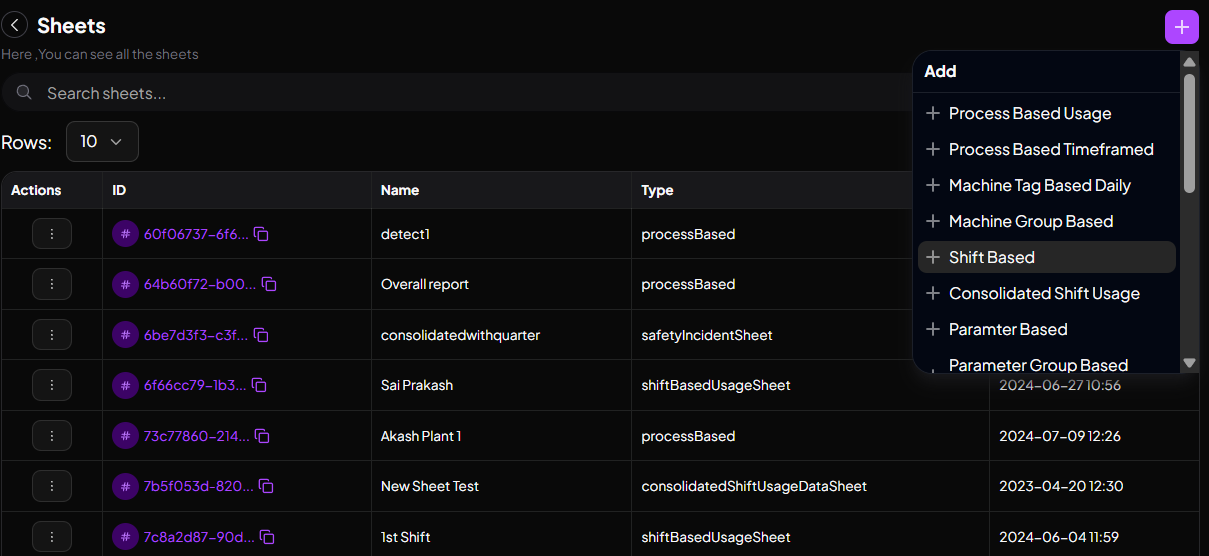
To create a Shift Based Sheet, click on the "Shift Based" tab.
A page like the one below will appear:
Step 1
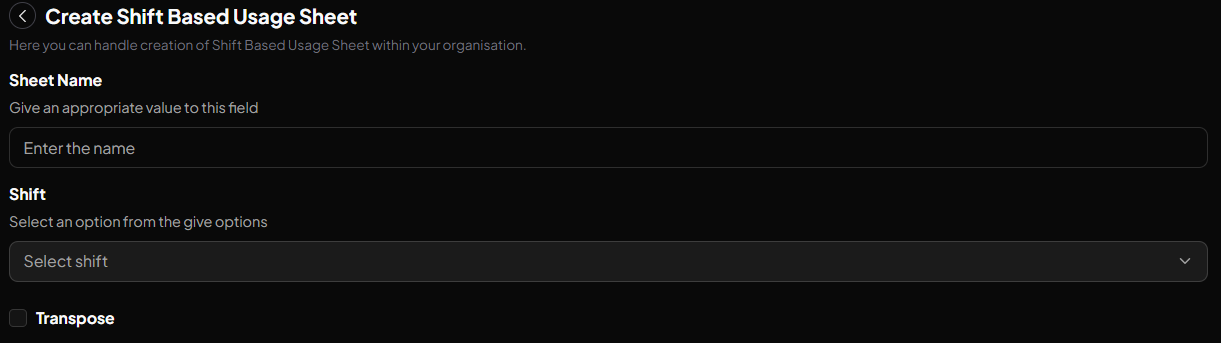
Give your sheet a name and select your shift.
Step 2
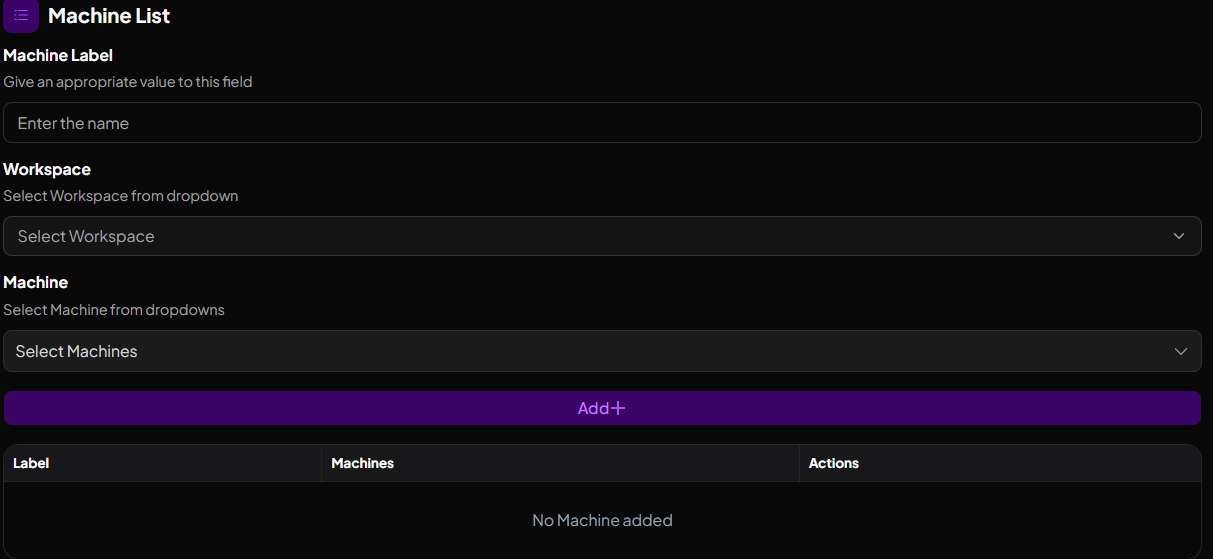
To add a machine:
- Fill in the machine label
- Select your workspace and machine
- Click the "ADD" button
Your machine will be added.
The page will now look like this:
Step 3
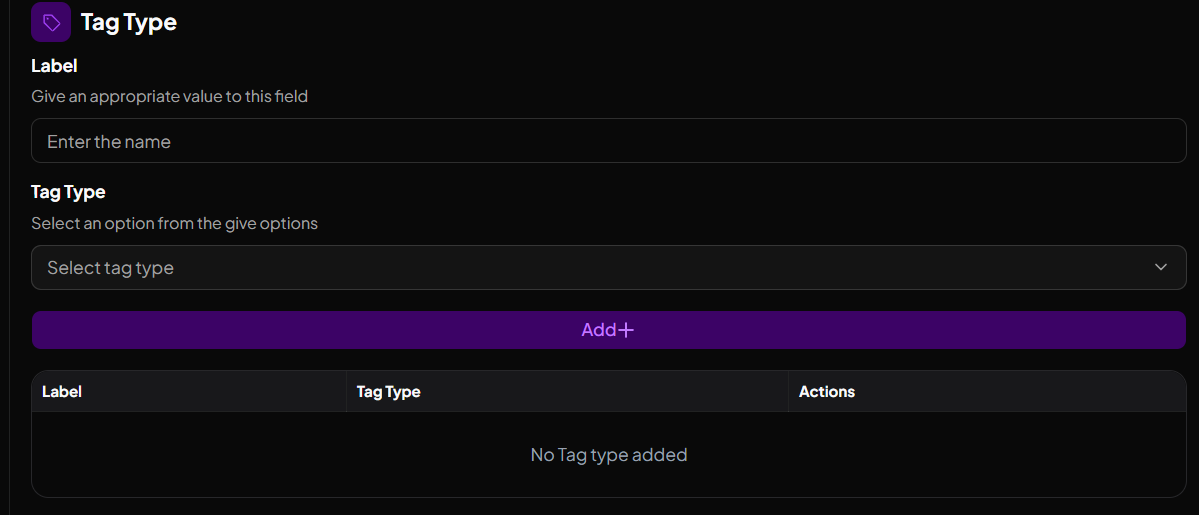
To add tag types to the machines:
- Fill in the Label and select the Tag Type
- Click the button, then click "ADD"
- Finally, click Create
A fully created Shift Based Usage Sheet will look like the below.
